Register your vessel organization.
Getting set up tells MBN who governs the vessel and who holds authority, so every tender you publish is attributable from day one. Here's the path from signup to an approved, live organization.
Create your vessel organization, assign or hand over Admin, and submit for approval.
None: start here.
About 20 minutes (autosaves; resume anytime).
Reflects app v1.5.28
Start at app.maritimebids.com
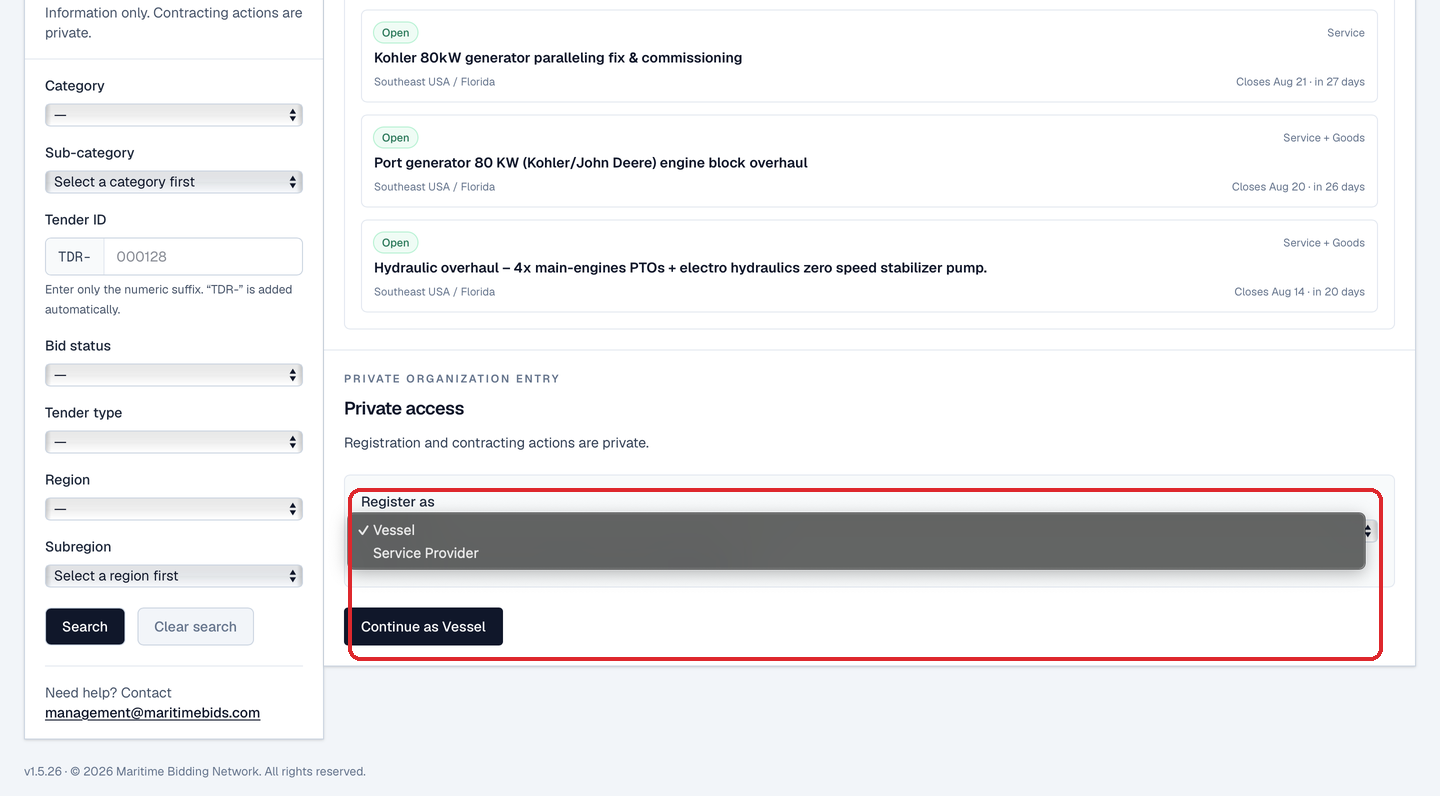
Pick Vessel, then Continue. You'll sign up at MBN's branded login and verify your email before onboarding opens.
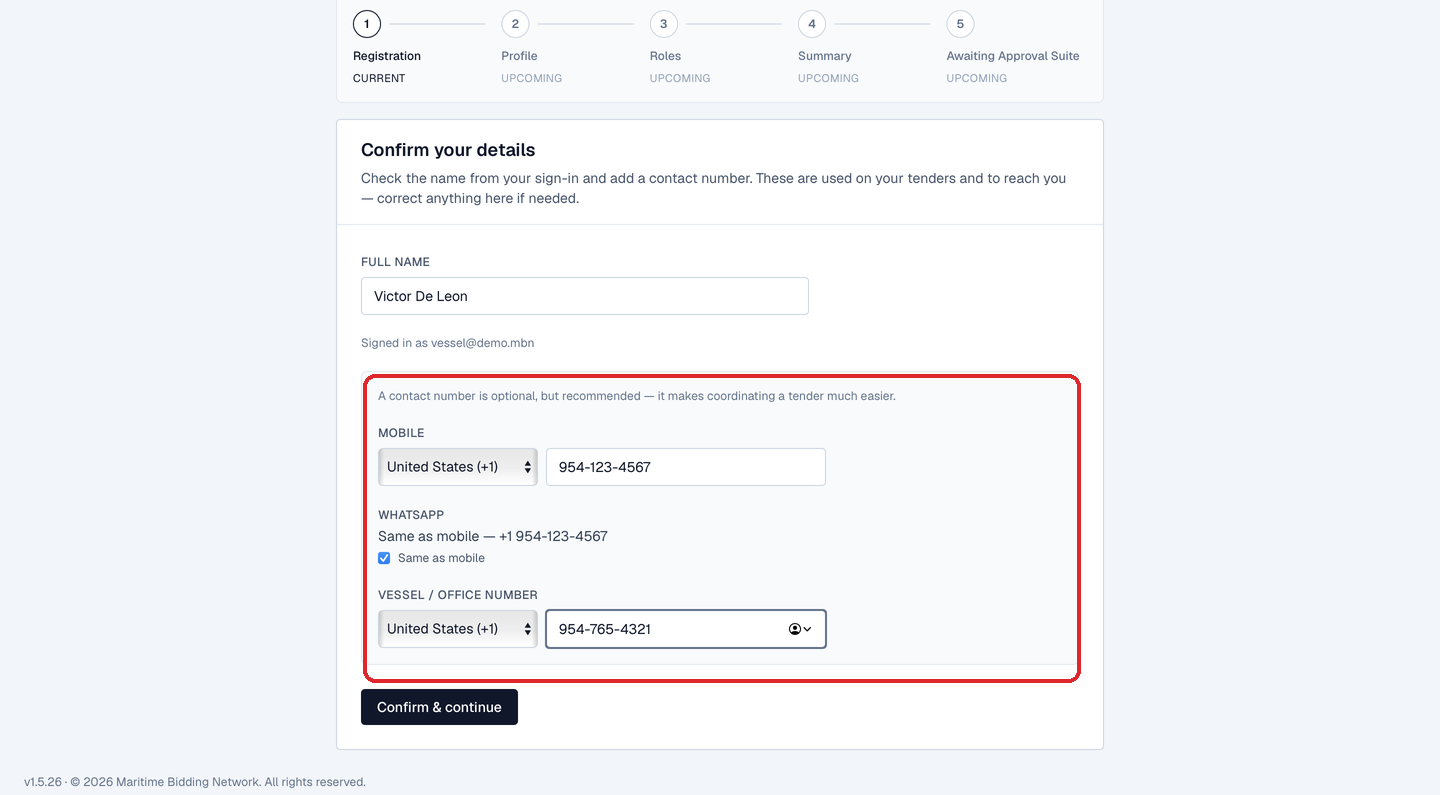
Confirm your details
Check the name that came from your sign-in, it appears on the tenders you publish, and add your contact numbers: a mobile, WhatsApp (same as mobile, or separate), and a vessel/office number. Numbers are optional but recommended; they make coordinating a tender much easier.
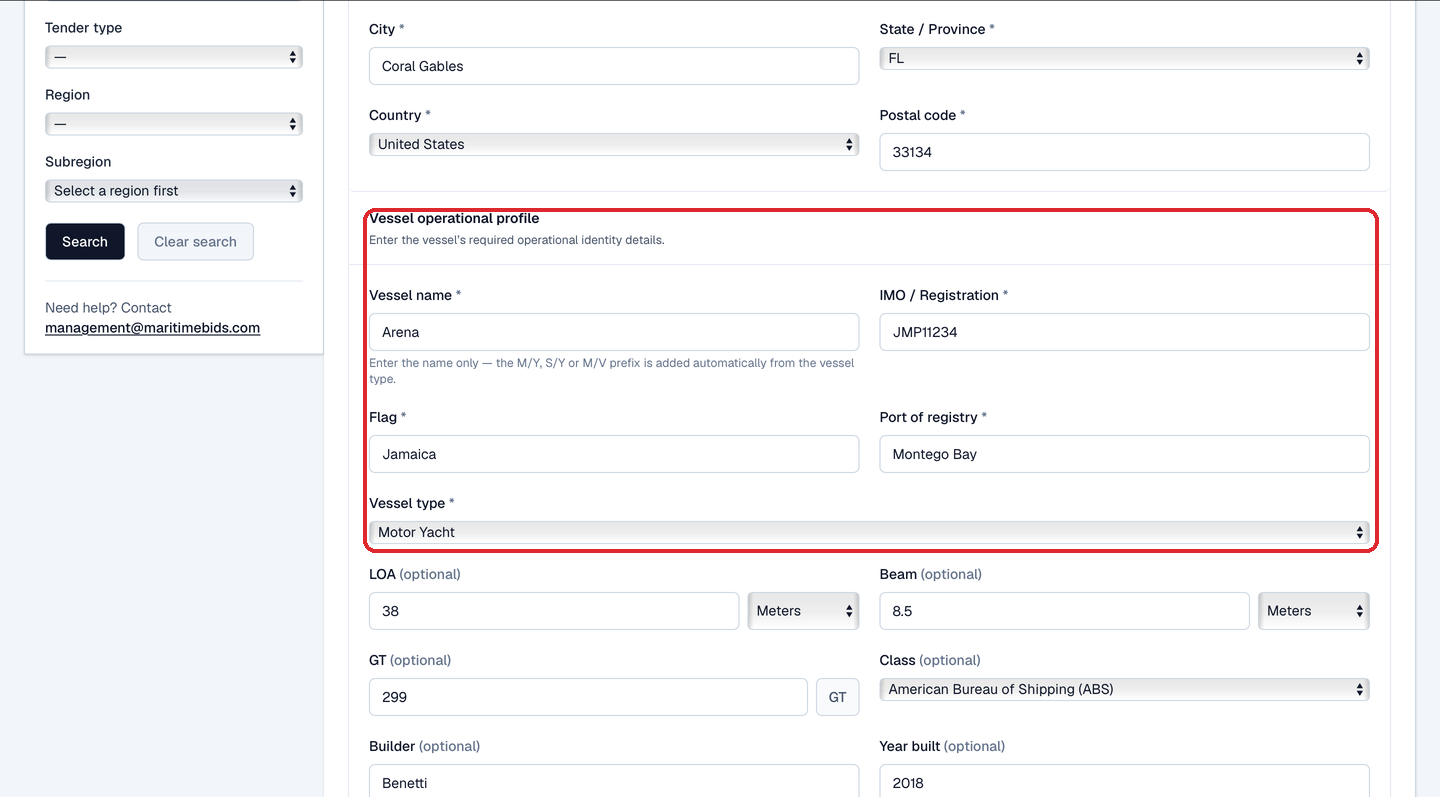
Build your vessel profile
Two parts. First your legal entity: legal name, registered address, and country, filled fast with address autocomplete. Then your vessel operational profile: the required identity, vessel name, IMO / registration, flag, port of registry, and vessel type, plus optional details you can add now or later (LOA, beam, GT, class, builder, year built, call sign, hull number). Enter the vessel name only: MBN adds the M/Y, S/Y or M/V prefix automatically from the vessel type. You can also pick optional shipyard operating regions and seasonal operating regions to describe where the vessel is worked and moved.
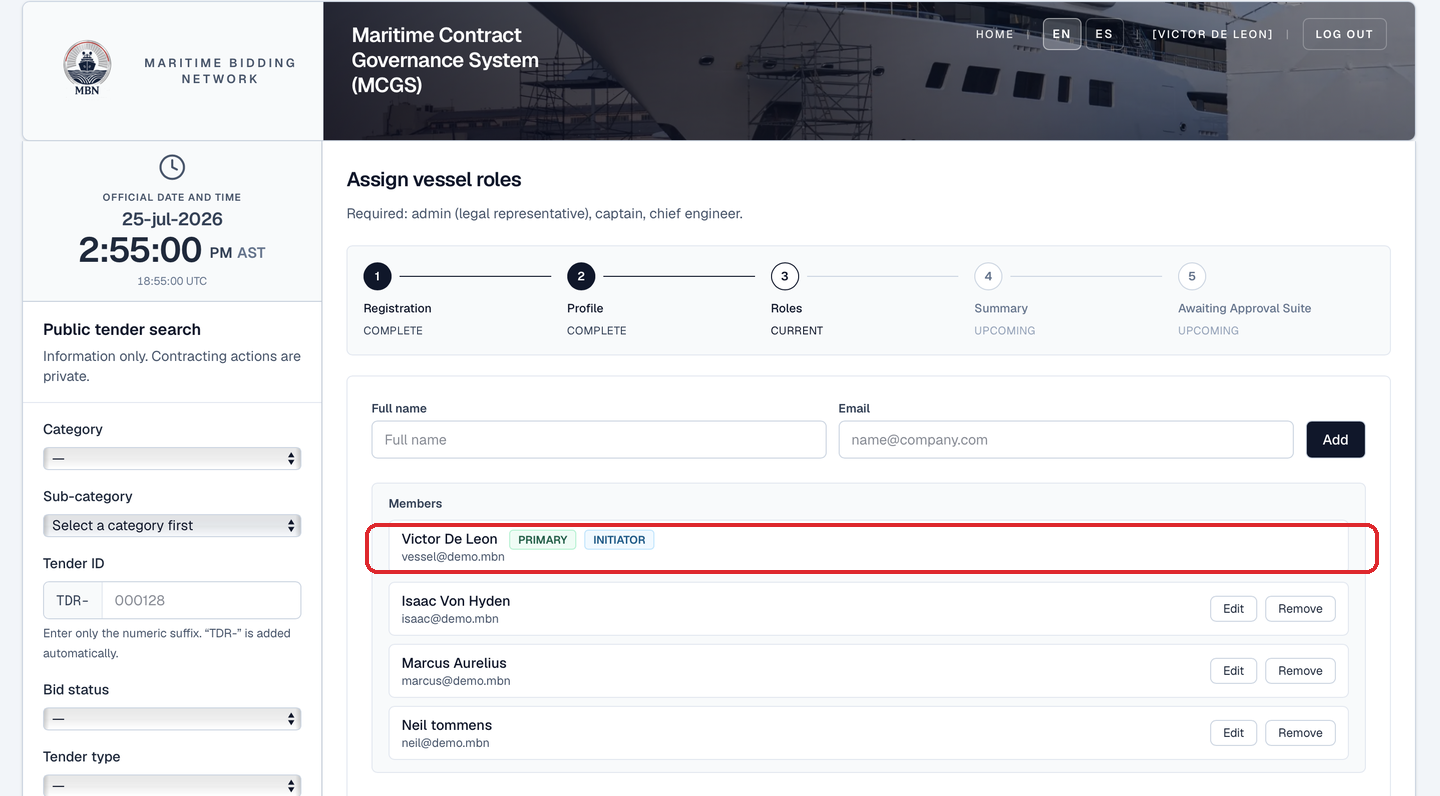
Your team and roles
You're the initiator: the organization's account creator. You're added to the roster automatically and tagged INITIATOR; that row can't be edited or removed. Add teammates by name and email, you can Edit or Remove any teammate you've added right up until you submit. Then, under Role assignments, pick the single Admin (legal representative), the role that holds authority, and assign the required Captain(s) and Chief engineer(s). Vessel manager(s) are optional; for each one you say whether they're part of a managing company (with its name) or independent.
You're the Admin: confirm and continue
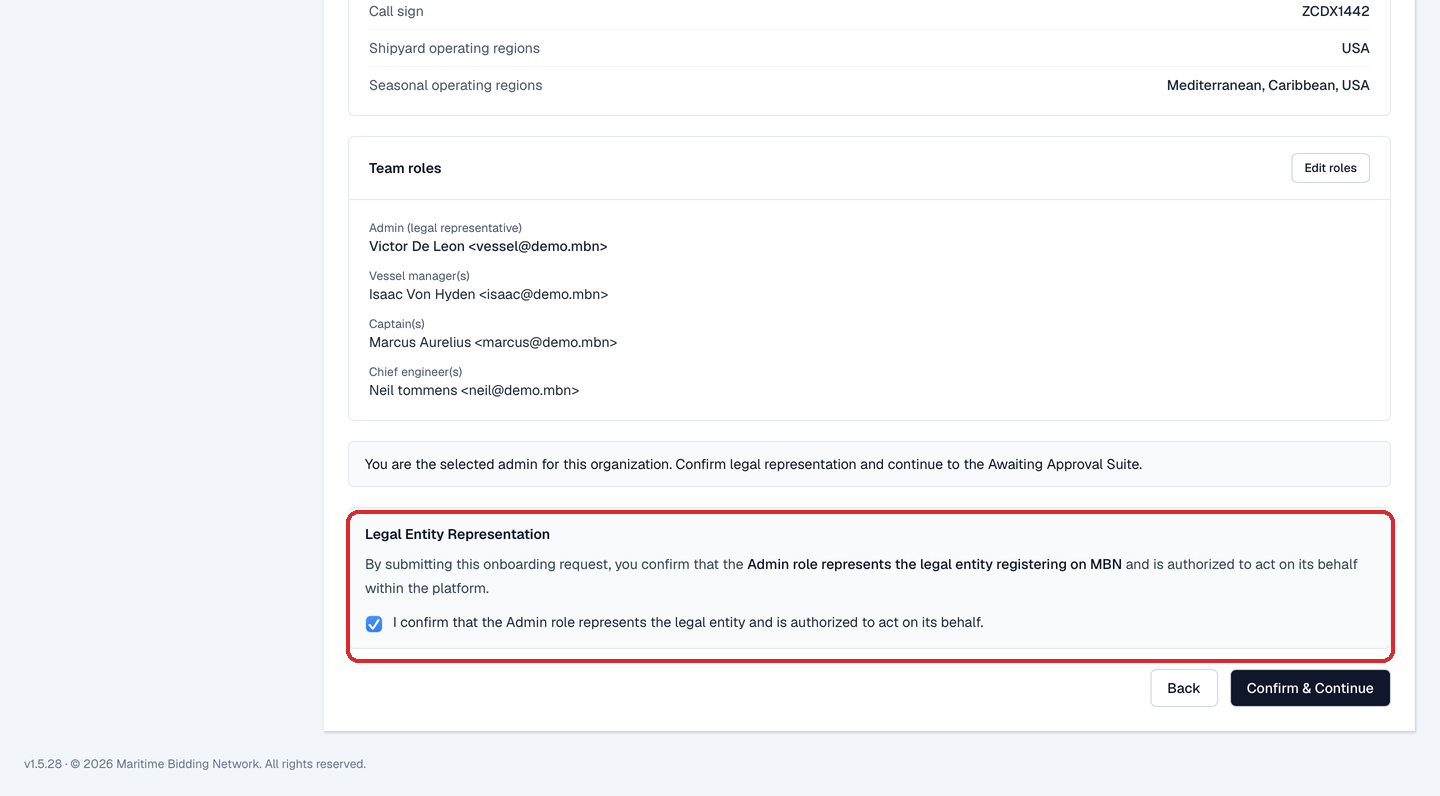
If you kept Admin on yourself, the Summary ends in a Legal Entity Representation box, you tick the confirmation that the Admin role represents the legal entity registering on MBN and is authorized to act on its behalf, then Confirm & Continue into the Awaiting Approval Suite. You carry the onboarding through yourself.
…or hand Admin to someone else
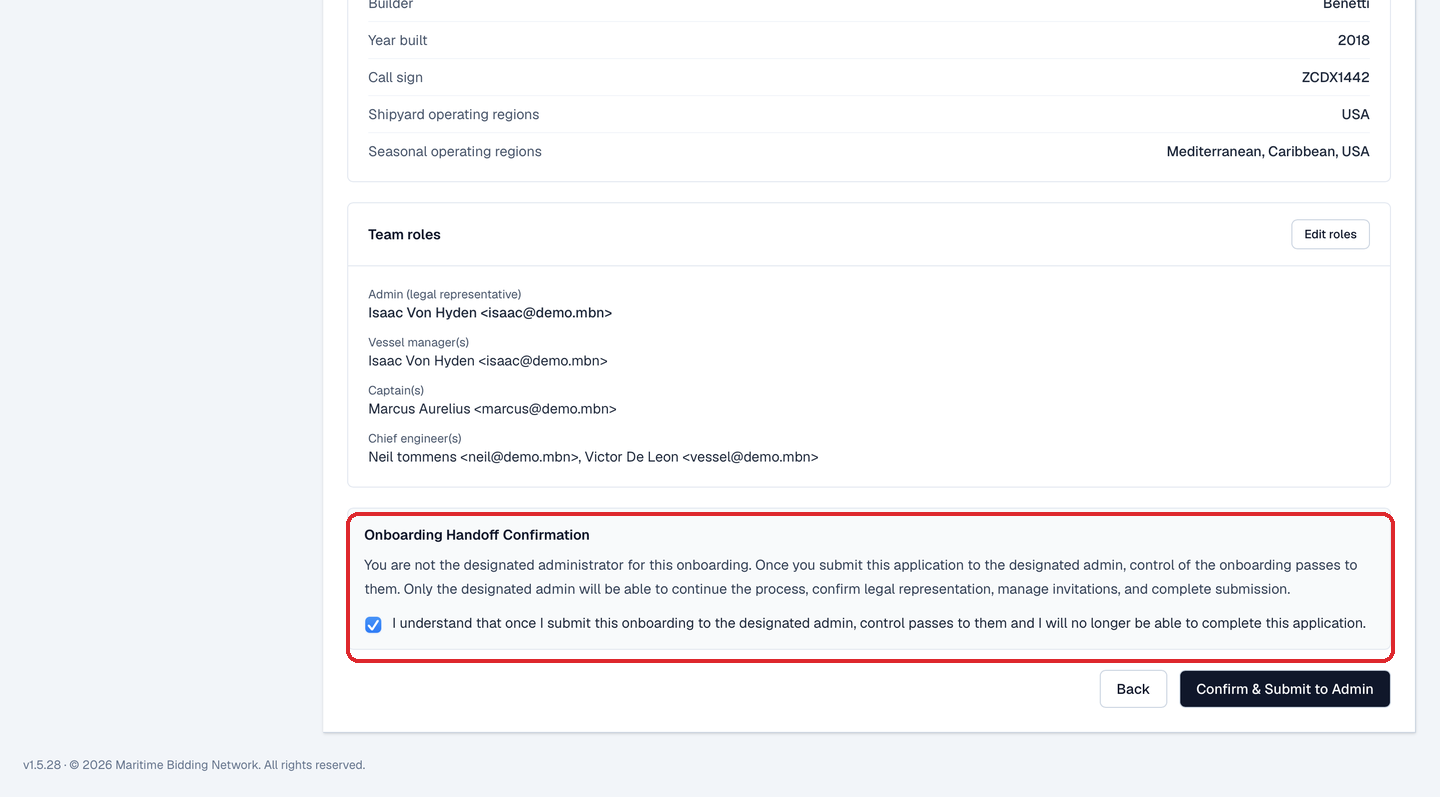
Setting the org up for the owner or a manager? Assign Admin to their email back in Roles. Now the Summary ends in an Onboarding Handoff Confirmation box instead, you tick that once you submit, control passes to the designated admin and you can no longer complete the application, then Confirm & Submit to Admin. They receive an email invitation, accept the Admin role, and take over: invitations, legal representation, billing, and submission.
Awaiting Approval Suite: confirm roles, invite your team
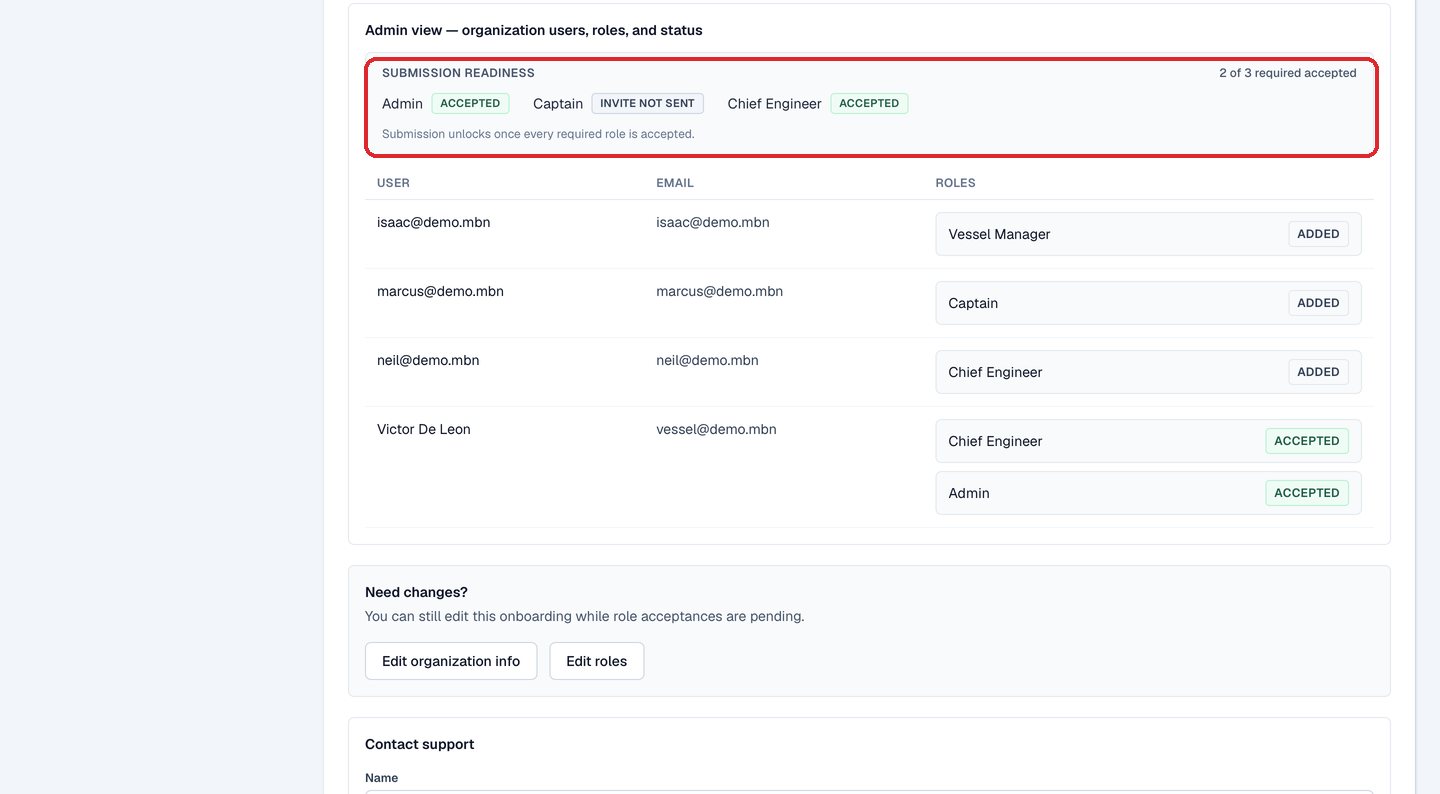
You land in the Awaiting Approval Suite: the organization is flagged Pending Legal Entity and the status reads Pending Role Acceptance. Every participant, you included, confirms their assigned role(s); as the initiator you do this to enable your admin panel. From there you send invitations (per person, a selected batch, or all pending at once) and each teammate moves Added → Invited → Accepted. A Submission readiness strip tracks how many required roles are in, "2 of 3 required accepted", and you can still Edit organization info or roles while acceptances are pending.
All roles accepted: submit for review
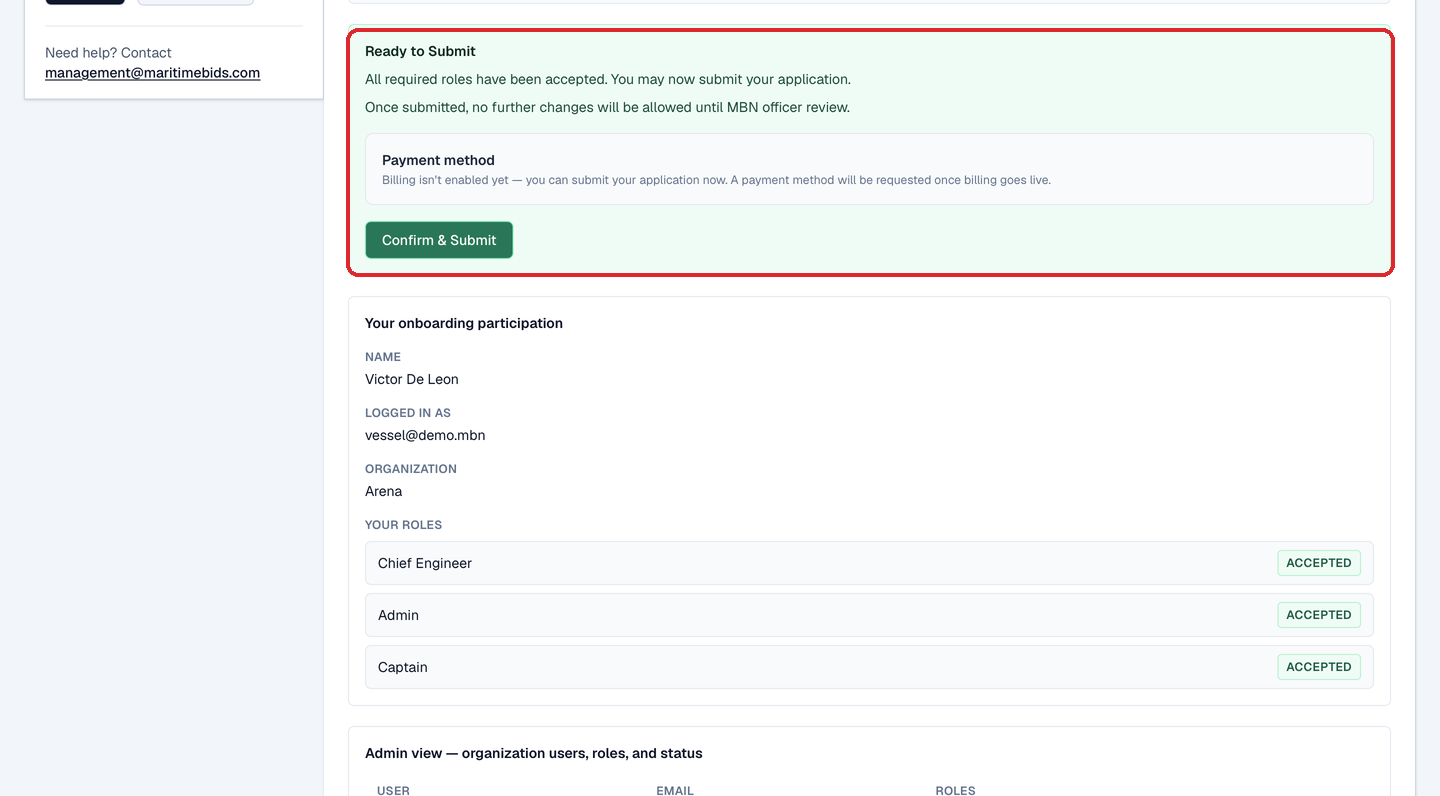
Once every required role is accepted, the strip turns green: Ready to Submit. Billing isn't enabled yet, you can submit your application right now, and a payment method is only requested once billing goes live. Confirm & Submit locks the application: no further changes until an MBN officer reviews it. On approval your organization is created and your dashboard unlocks; if changes are requested or it's rejected, you'll see the reason and can pick up from the same suite.
What happens next
Once approved, your dashboard unlocks. Next, build your equipment and parts lists, the catalog your tenders draw from, then create your first tender.
Related lessons
Get on MBN
Request free access to MBN. Once approved, you'll build your vessel profile and assign roles in about 20 minutes.