Your categories and regions.
This is the single most important setup on MBN: your engineering categories and service regions are your entire inbound pipeline. Get them right and the right work finds you.
Set the categories and regions that decide which tenders reach you.
An approved service-provider organization.
About 5 minutes.
Reflects app v1.5.9
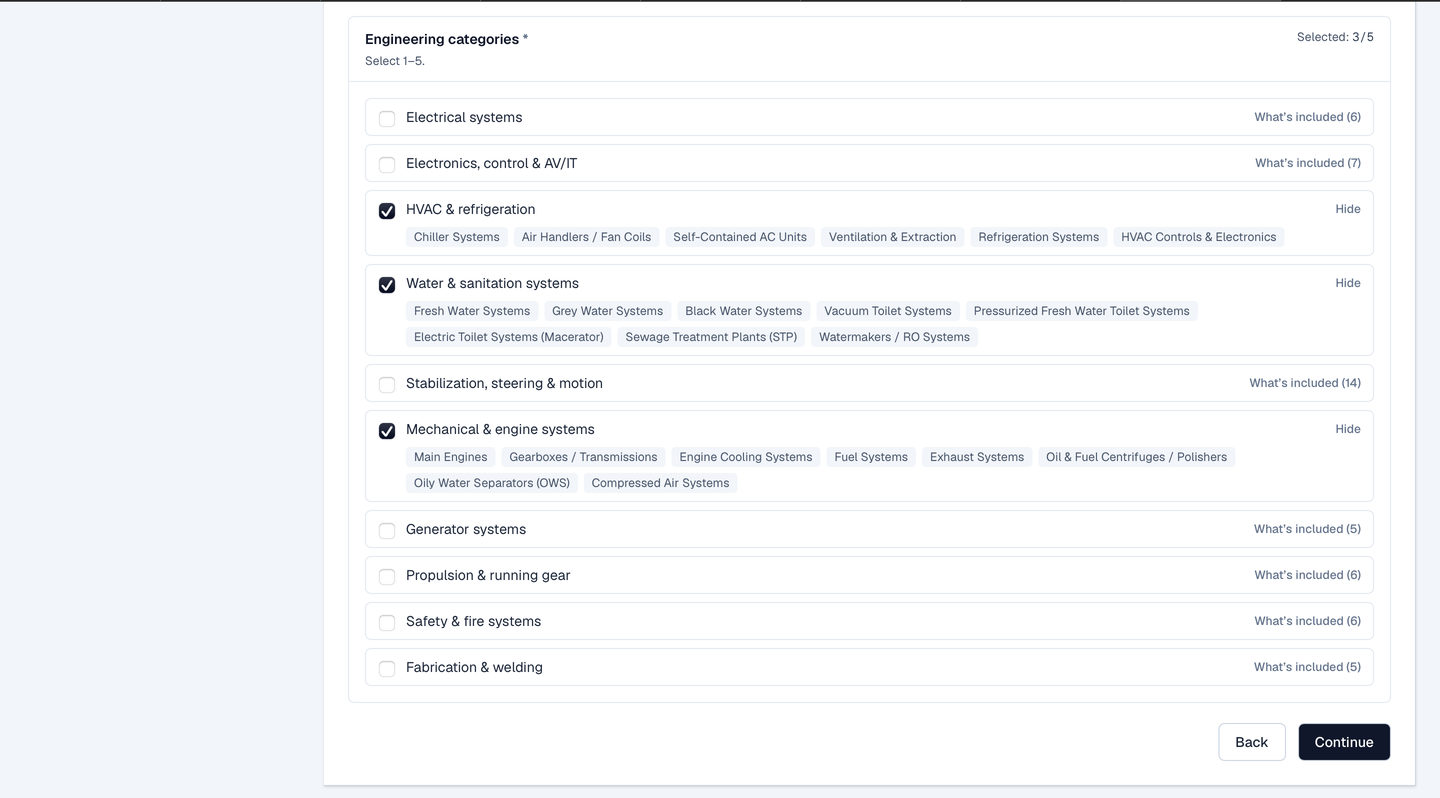
Pick up to five categories
Choose 1 to 5 engineering categories that describe what you do: five is the maximum, so pick the ones you genuinely cover. A vessel's tender routes to you when its category matches one of yours.
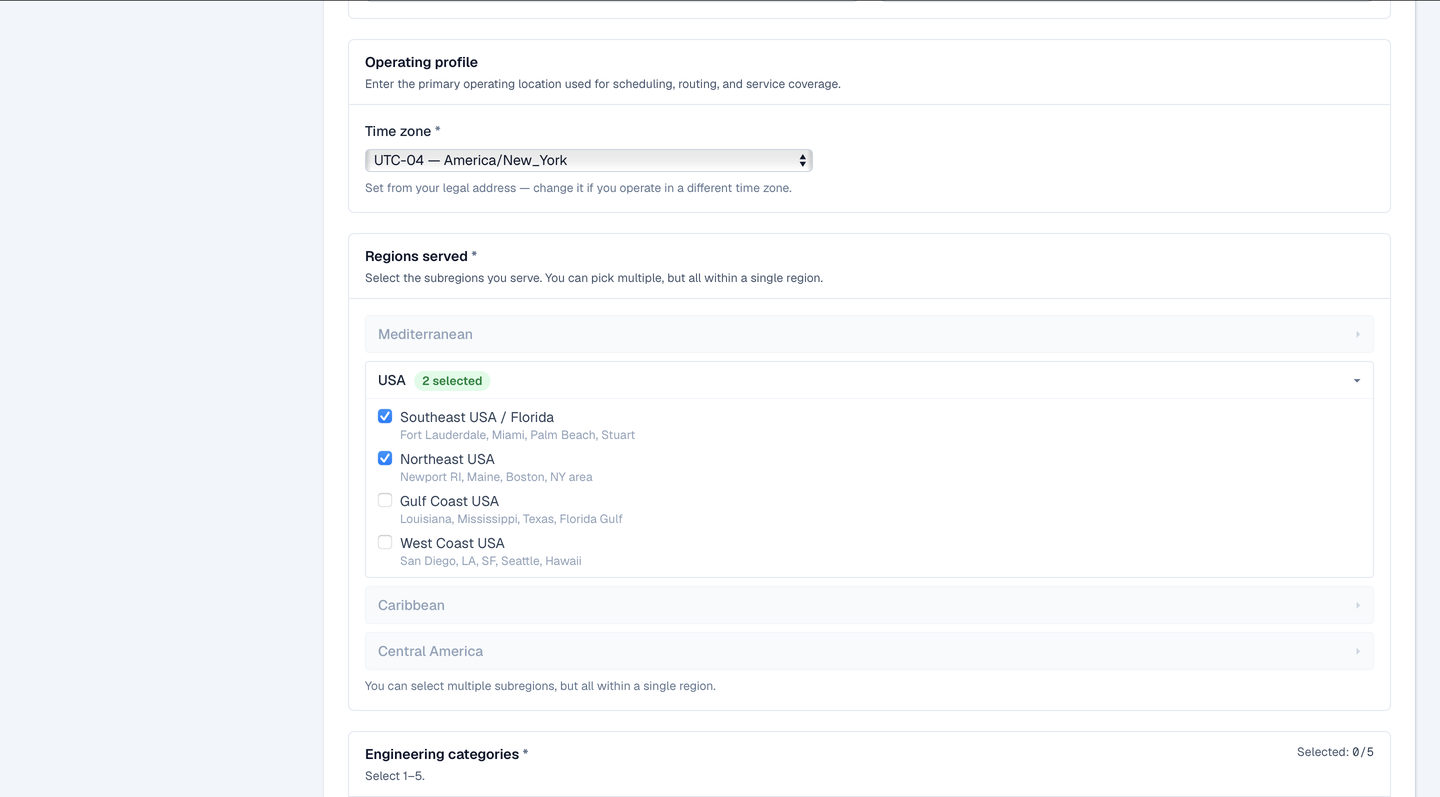
Pick your region, then your sub-regions
Regions work in two levels. First choose your one main region: Mediterranean, USA, Caribbean, or Central America. Then pick one or more sub-regions within it (Western Med, Adriatic, US Gulf Coast, and so on). Your sub-regions are bound to that main region: a service provider serves within a single region group, never across two.
Match = category AND sub-region
You receive a tender only when both line up: a category you serve and a sub-region you cover. Between your five categories and your sub-regions, you decide exactly what reaches you.
A diagram of category-and-sub-region matching to tenders.
Know the regulations where you work
MBN connects you to work; meeting the legal requirements to perform it is on you. If you service outside your own country, you are responsible for the work permits, licenses, certifications, and local regulations that apply there. Set your regions to places you can actually, and lawfully, serve.
A note on cross-border work requirements and responsibility.
Keep them current
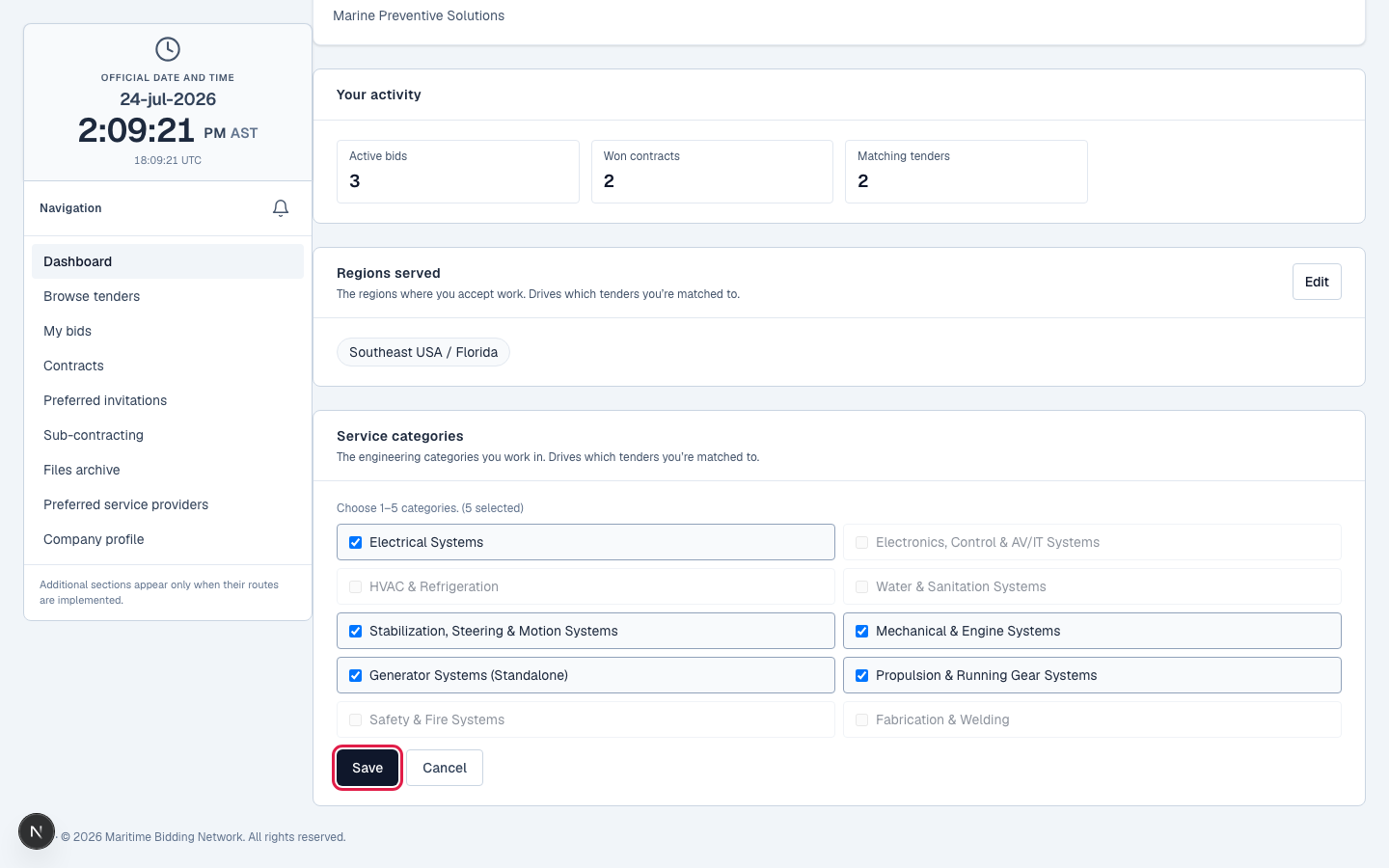
Add a capability, open a new sub-region, drop a line of work: edit them any time from the Service categories and Regions served cards on your dashboard (Edit → adjust → Save). They're your entire pipeline, so keep them current.
What happens next
With your pipeline tuned, tenders start reaching you. Next: the three ways they arrive, and how to bid.
Tune your pipeline
Log in to set your categories and regions. New to MBN? Request free access first.