Meet the requirements.
The vessel decides what every bidder must provide. Here's how to see those requirements and satisfy them: sometimes without uploading a thing.
Provide the documents a tender requires so your quote can be submitted.
A tender you're quoting on.
About 5 minutes.
Reflects app v1.5.9
See what's required
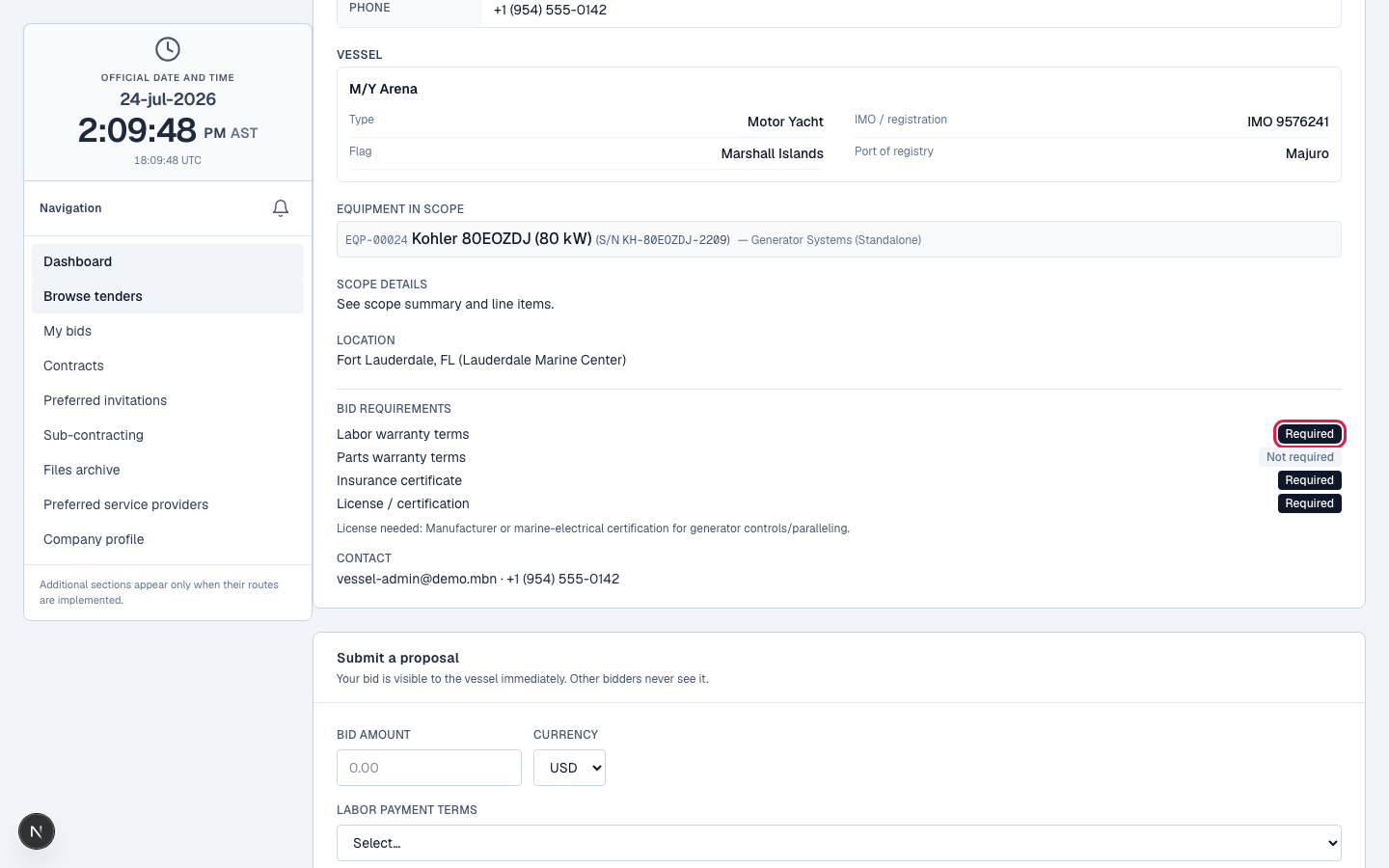
Each tender lists required documents: your Quote (always), plus labour warranty terms, parts warranty terms, an insurance certificate, and sometimes a license or certificate: whatever the vessel marked required for this job.
Upload per slot
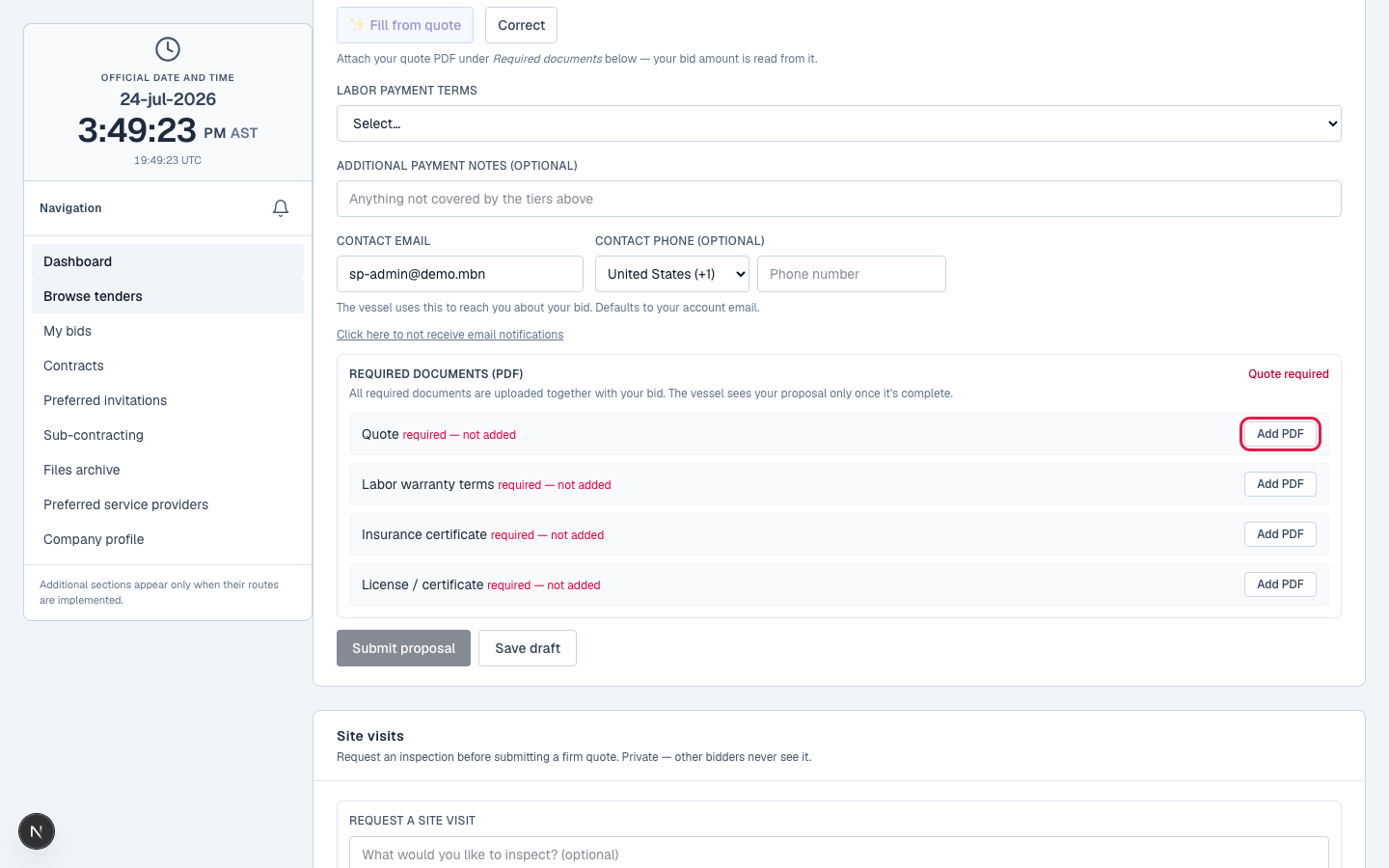
Upload a PDF into each required slot. If a license is required, the vessel describes exactly what to provide, a class approval, a trade certificate, so you know what to upload.
Or let the parser cover it
If your quote already states your labour or parts warranty terms, MBN's detection covers those slots automatically, no separate upload needed. One good quote can satisfy several requirements.
A warranty requirement satisfied via quote detection.
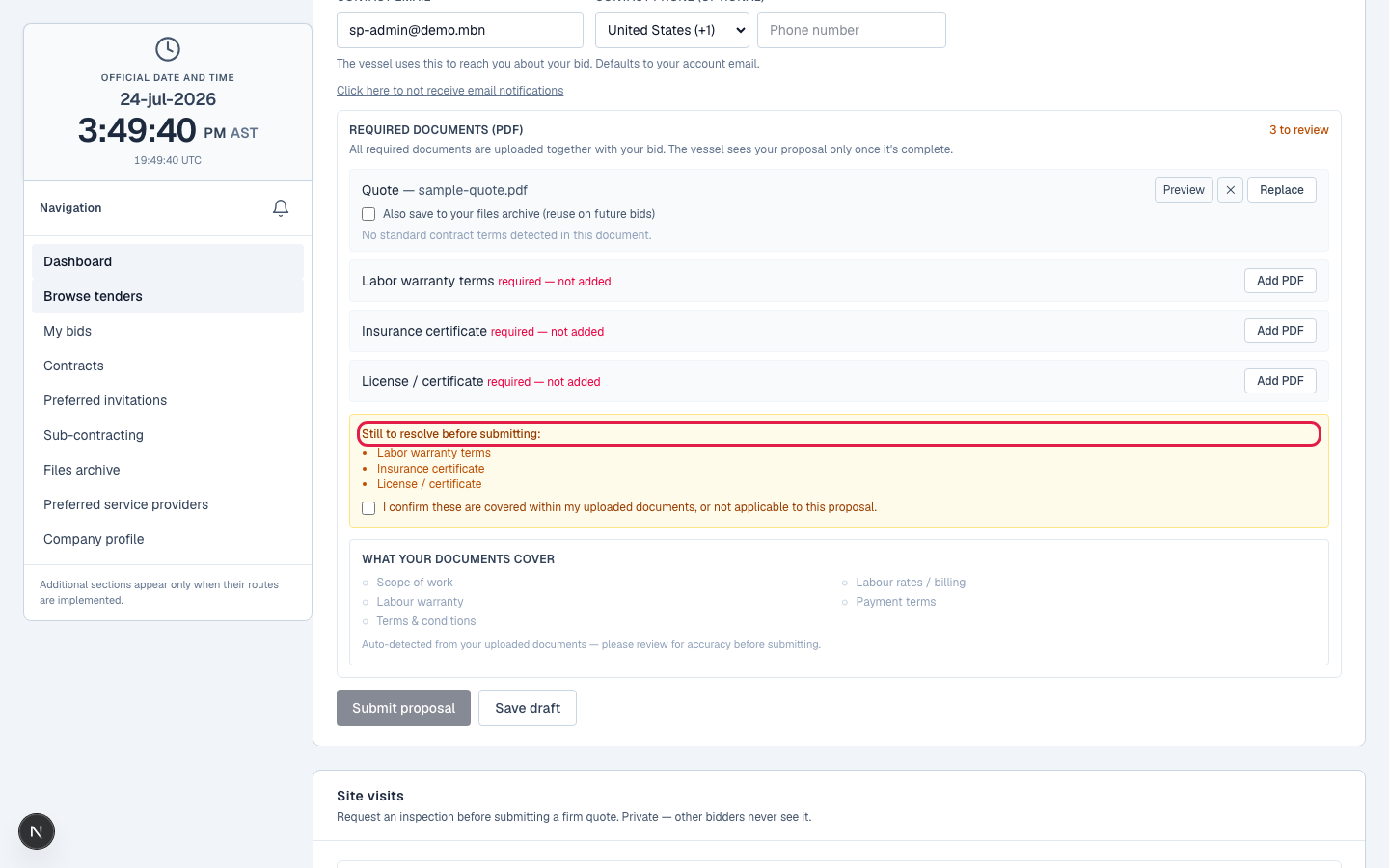
Acknowledge any gaps
If something required is genuinely missing, you acknowledge the gap before submitting, nothing is hidden from the vessel, so your quote is judged with full context.
What happens next
With your quote and documents in, you're a live bidder. From here it's clarifications, possibly amending your quote, and, if you win, signing the contract.
Related lessons
Submit a complete proposal
Log in to see a tender's requirements and satisfy them. New to MBN? Request free access first.