Win & sign the contract.
You won the work. Here's how the award reaches you and how the two-sided signature turns it into a governed contract.
Accept an award and sign the resulting contract.
A submitted quote on a tender that's been awarded to you.
About 5 minutes.
Reflects app v1.5.9
You're notified
Win and you get an email, 'You've been awarded tender …', and your dashboard shows the win. Bidders who weren't selected are told too, so everyone knows where they stand.
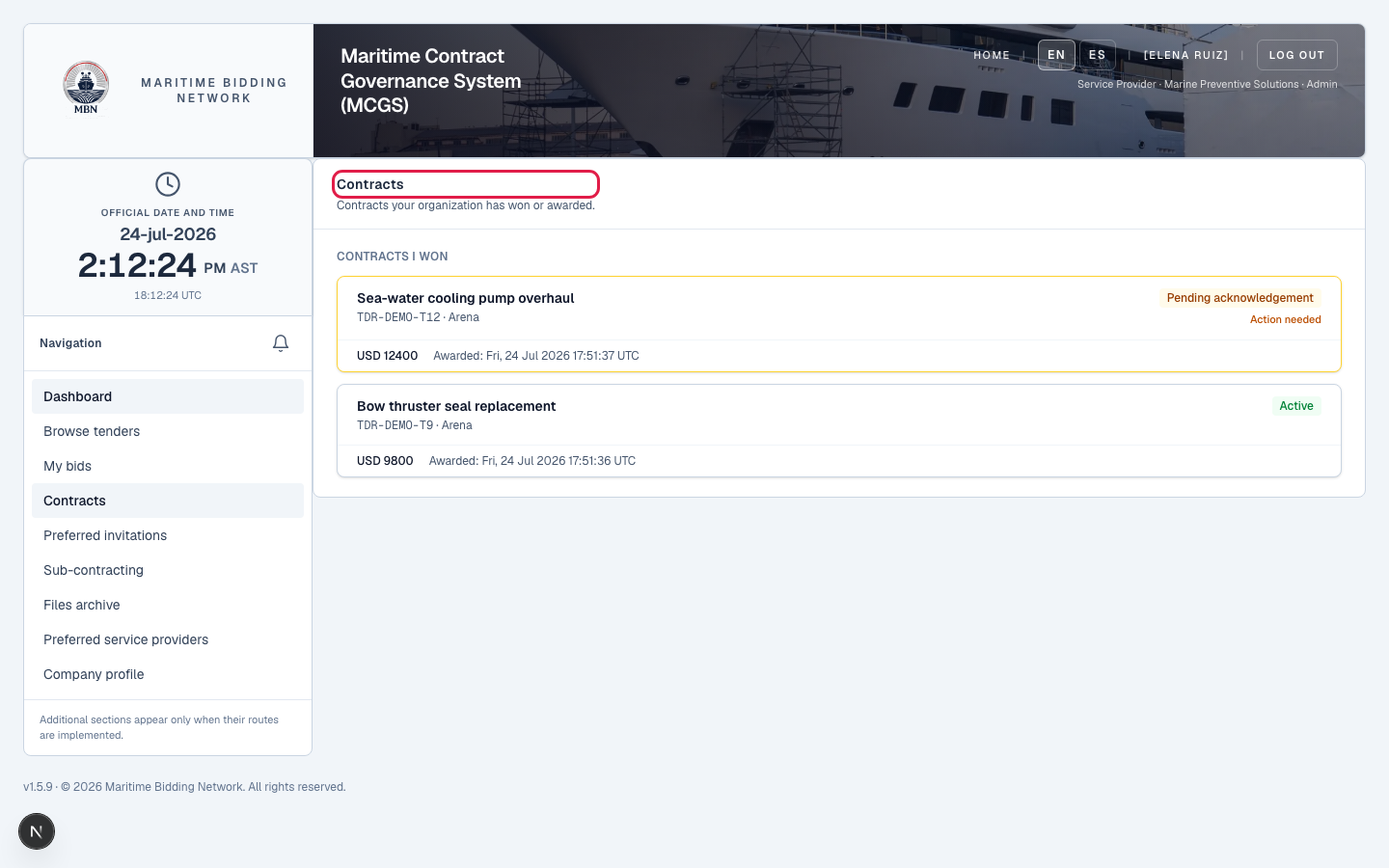
Review the contract, everything's in it
The award turns your winning quote into a Maritime Service Agreement, and MBN builds it from everything you submitted, so nothing is left to memory or a side email. It sets out the scope of work (the tender's summary and detail), every awarded line item, your labour hours and cost, the full cost breakdown, parts, labour, freight, tax, insurance, reconciled to the grand total, the payment terms and milestone schedule, your labour and parts warranty terms, delivery terms, and your attached documents (quote, warranty, insurance certificate). It's the parsed detail of your quote turned into a governed agreement. Read it in full before you sign.
The Maritime Service Agreement: scope, line items, labour, warranty, and payment terms.
Sign it: two-sided
MBN uses a two-sided e-signature. You sign as the seller, an Admin or Commercial Manager types their legal name to sign, and the vessel signs too. When both signatures are in, the contract is acknowledged and a fully-signed PDF is generated.
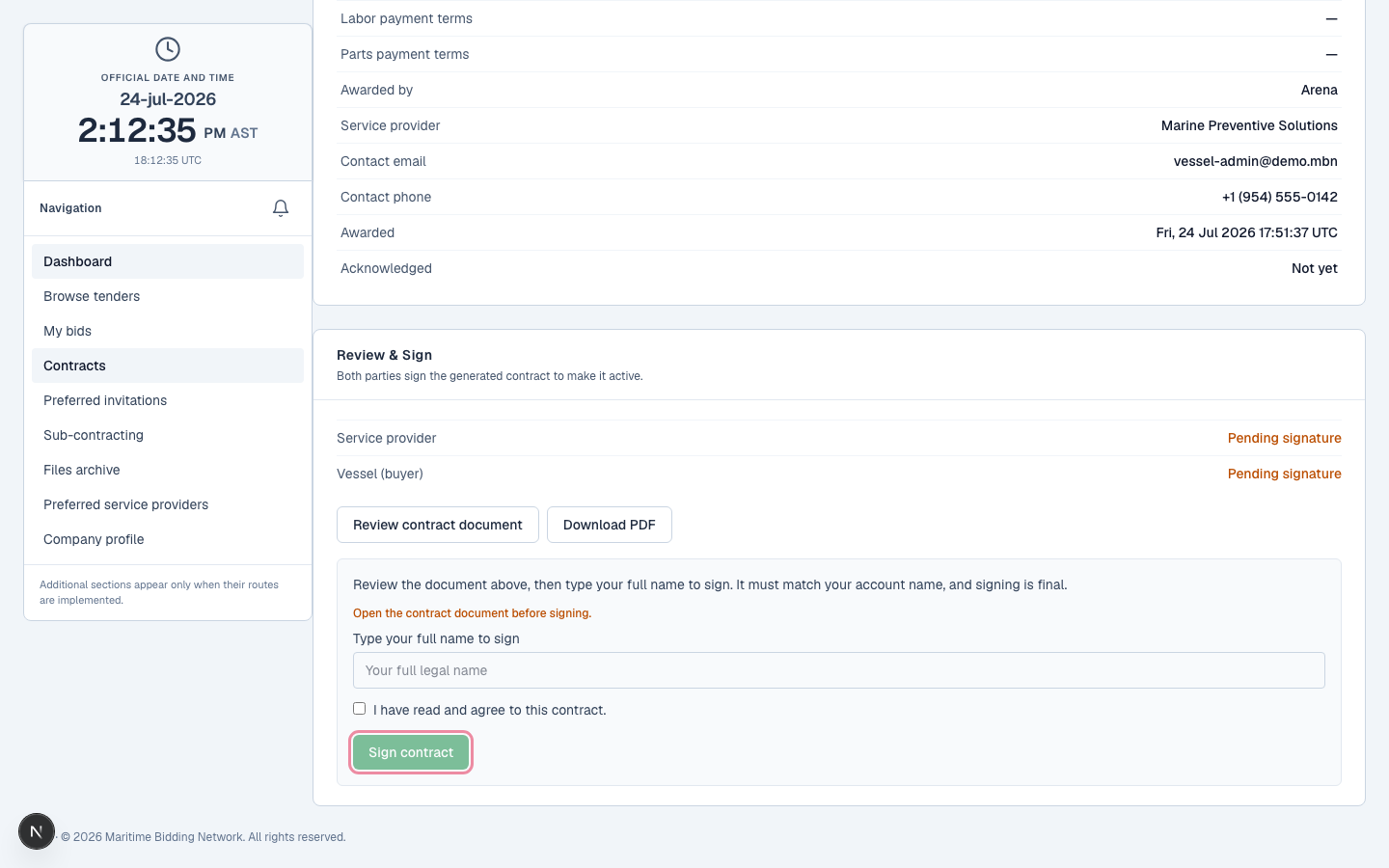
Begin the work
Once acknowledged, it's a governed contract, attributable to who signed and when. In v2 (January 2027) this is where the workroom opens: milestones, evidence, change orders, warranty.
The fully-executed contract, ready for delivery.
What happens next
Post-award execution, the workroom, arrives with v2 in January 2027. Until then, the signed contract is your record.
Related lessons
Close the loop on a win
Log in to review and sign your awarded contracts. New to MBN? Request free access first.