Submit a proposal.
A quote on MBN is a structured, binding offer against a defined scope. Here's how to build one, and note that anyone on your team can quote; it isn't locked to a single role.
Put a binding quote on a tender.
A tender that's open for bidding and matches your categories.
About 10 minutes.
Reflects app v1.5.9
Open the tender and start a bid
One live quote per tender. Start a draft, it's private to you (the vessel never sees drafts), so you can save and come back before you commit.
Your pricing comes from your quote
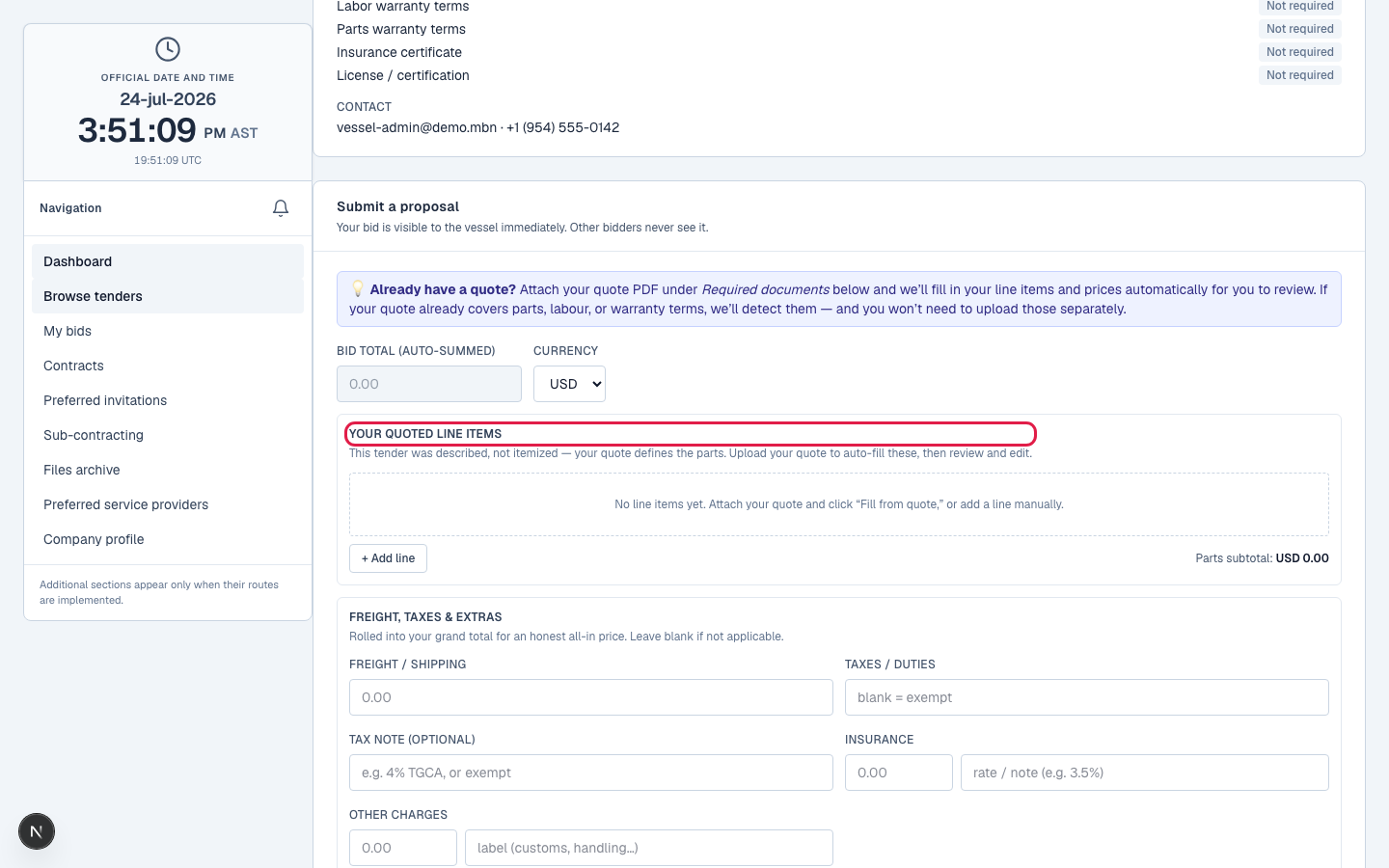
You price by uploading your quote as a PDF: MBN reads your line items, labour, and charges (freight, tax, insurance) from it and computes your grand total (the next lesson, Fill from quote, goes deep on the reading). If the parser misreads a line or a charge you can correct it, but you never type the bid amount itself: it's always the computed total of your priced lines, so the headline number can't be detached from the itemized quote behind it. That's deliberate, it stops anyone submitting a bid their own document doesn't add up to. On an itemized goods tender you can still mark an OEM-equivalent substitute part, your own brand and part number, against a line.
Uploading a quote PDF: line items and charges fill in; the bid amount is their computed total, never typed.
Described goods? Your quote defines the lines
If the tender was described rather than itemized, your quote defines its own line items, it lists exactly what you're quoting, each with the price read from it.
Submit
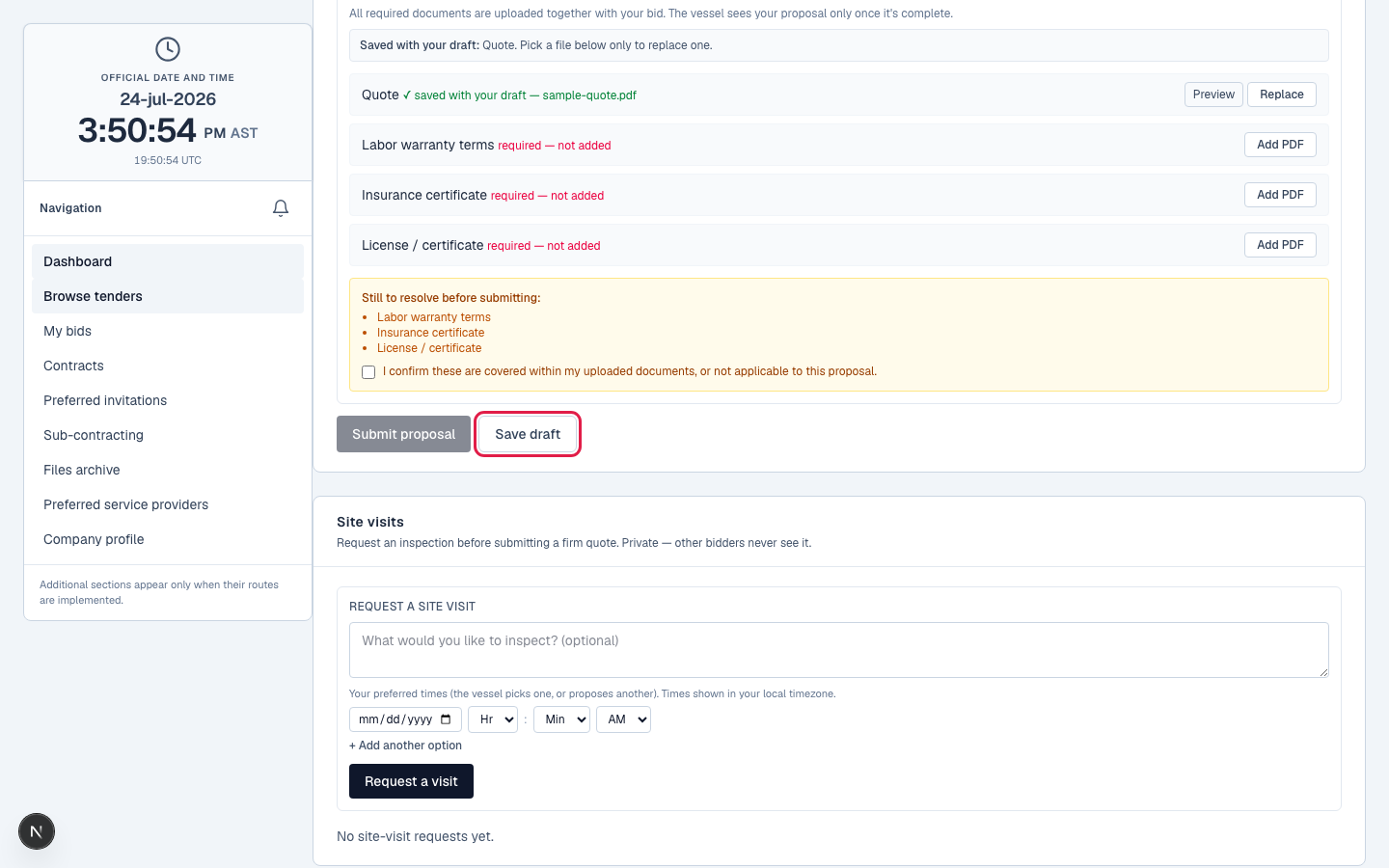
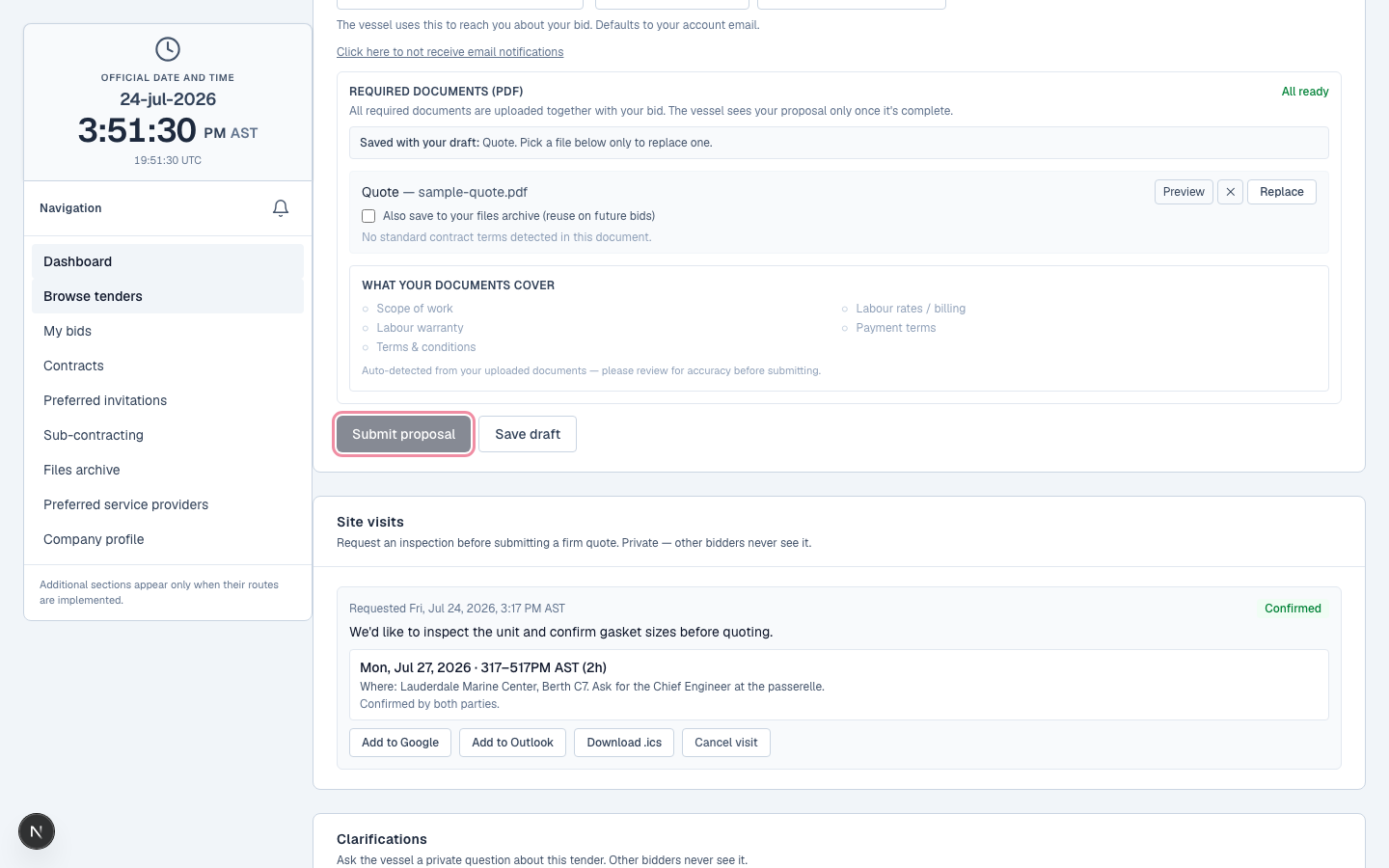
You can't submit until the tender's required documents are satisfied: uploaded, detected in your quote, or the gap explicitly acknowledged (the next lessons cover those). Submitting also runs strict checks, a positive total, at least one priced line, your company setup complete, then makes the quote visible to the vessel. You'll get a confirmation, and the vessel is notified a bid arrived.
What happens next
Your quote does the work: MBN reads it and fills the bid, and the amount is always the computed total of those lines, never typed. The next lesson goes deep on that.
Related lessons
Quote against a defined scope
Log in and open a matched tender. New to MBN? Request free access first.